- Developer
- Winz Team
- Installs
- 500+
- Downloads
- 0
- Views
- 1
- Updated
- Nov 4, 2026
Screenshots
About Expense Tracker-Offline Budget
WinzMoney Expense Tracker – Offline Budget Planner and Money Manager
Keeping track of personal finances is not always easy. Small daily purchases, monthly bills, savings, and borrowed money can quickly become difficult to manage. Without proper records, it is easy to lose track of how much you earn and where your money goes.
WinzMoney is an offline expense tracker and budget planner designed to help users organize their financial activities in one place. It allows you to record income and expenses, manage multiple wallets, set monthly budgets, track bills, and monitor money borrowed from or lent to others.
One of its main advantages is that it works without an internet connection. Users do not need to create an account or connect their bank accounts to start managing their finances. The app also offers its main features without a subscription or paid upgrade.
What Is WinzMoney?
WinzMoney is a personal finance management app that helps users keep a record of their daily transactions. It provides tools for managing spending, planning monthly budgets, tracking regular payments, and setting savings goals.
The app can be used for individual money management as well as household budgeting. For example, you can record grocery purchases, electricity bills, transportation costs, salary payments, and other financial activities.
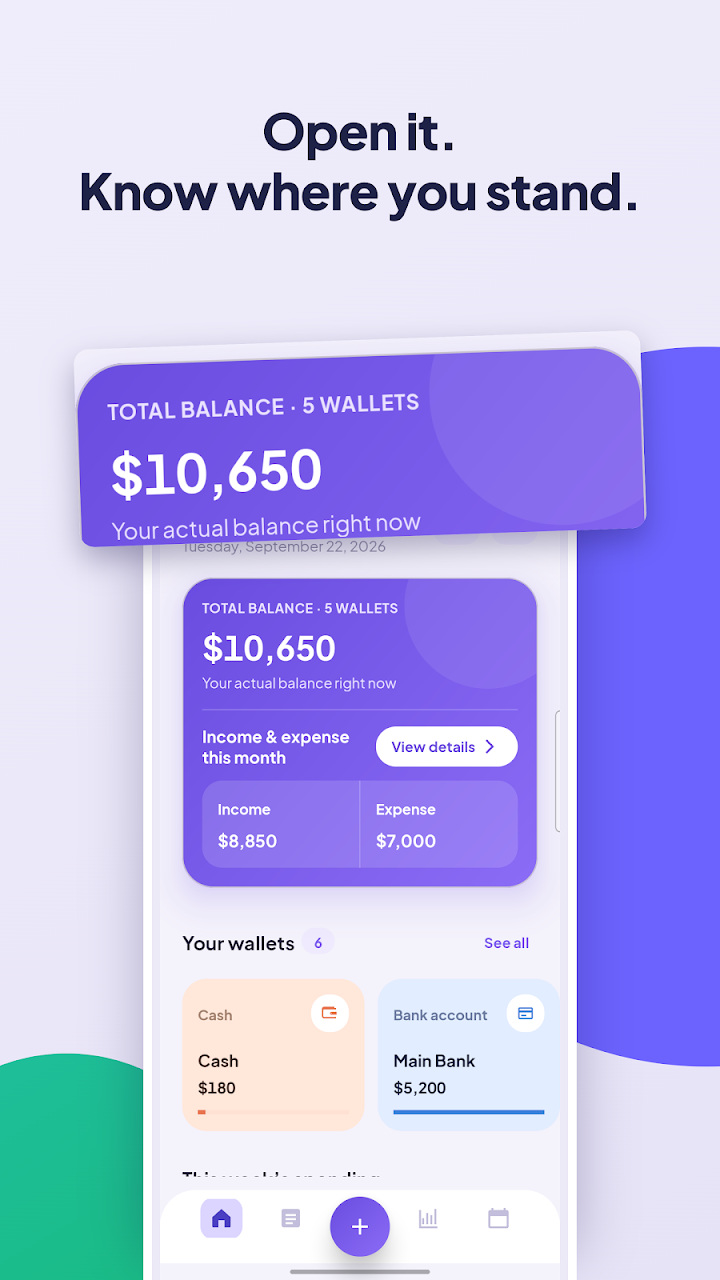
Instead of keeping everything in a notebook or separate spreadsheet, WinzMoney brings these records together in one place. Its dashboard provides a quick overview of your balance, income, expenses, upcoming bills, and budget progress.
Main Features of WinzMoney
1. Quick Daily Expense Tracking
Recording daily transactions is one of the most important parts of managing money. WinzMoney makes this process easier with a dedicated number pad that includes category and wallet selection on the same screen.
You can enter an amount, choose the appropriate category, select a wallet, and save the transaction in just a few steps.
The home screen also displays useful financial information, including:
- Total balance
- Income and spending for the selected period
- Spending activity from the last seven days
- Budgets approaching their limits
- Upcoming bill payments
This overview helps users understand their financial situation without checking every transaction individually.
2. Multiple Wallet Management
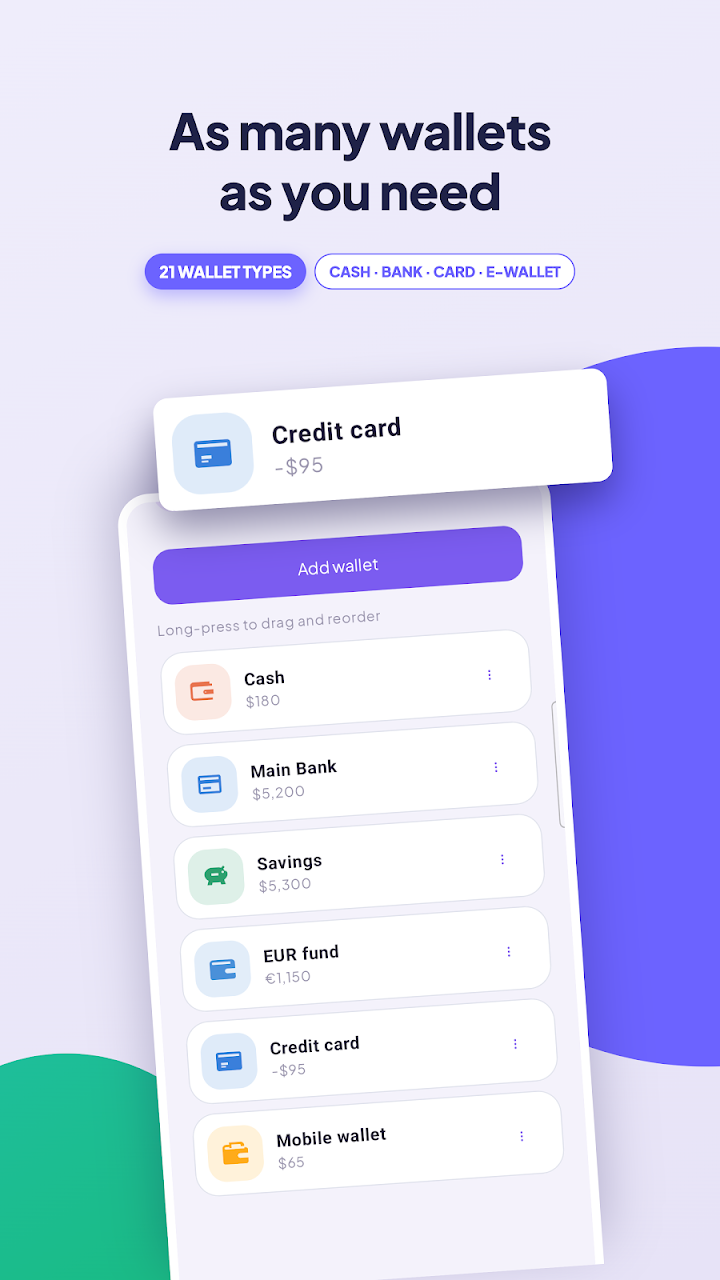
People often keep their money in different places, such as cash, bank accounts, credit cards, savings accounts, and digital wallets. WinzMoney allows users to organize these funds through separate wallets.
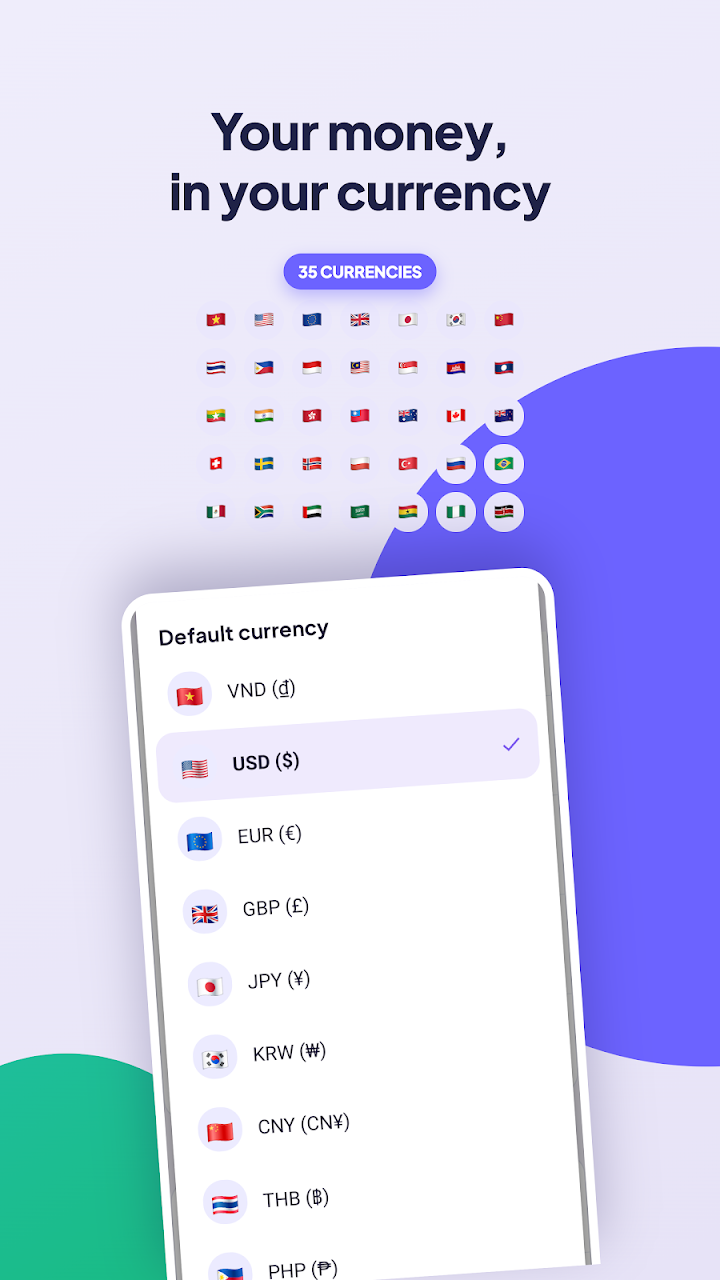
The app supports unlimited wallets with 21 built-in wallet types. Each wallet maintains its own balance and can use a different currency.
You can also transfer money between wallets in one step. This is helpful when moving funds from a bank account to cash or transferring money into a savings wallet.
Another useful option is the ability to search and filter wallet transactions by date, category, or transaction type. Keyword search also makes it easier to find a particular record.
3. Monthly Budget Planner
Creating a budget is a useful way to control spending and avoid unnecessary purchases. WinzMoney allows users to set monthly spending limits according to their needs.
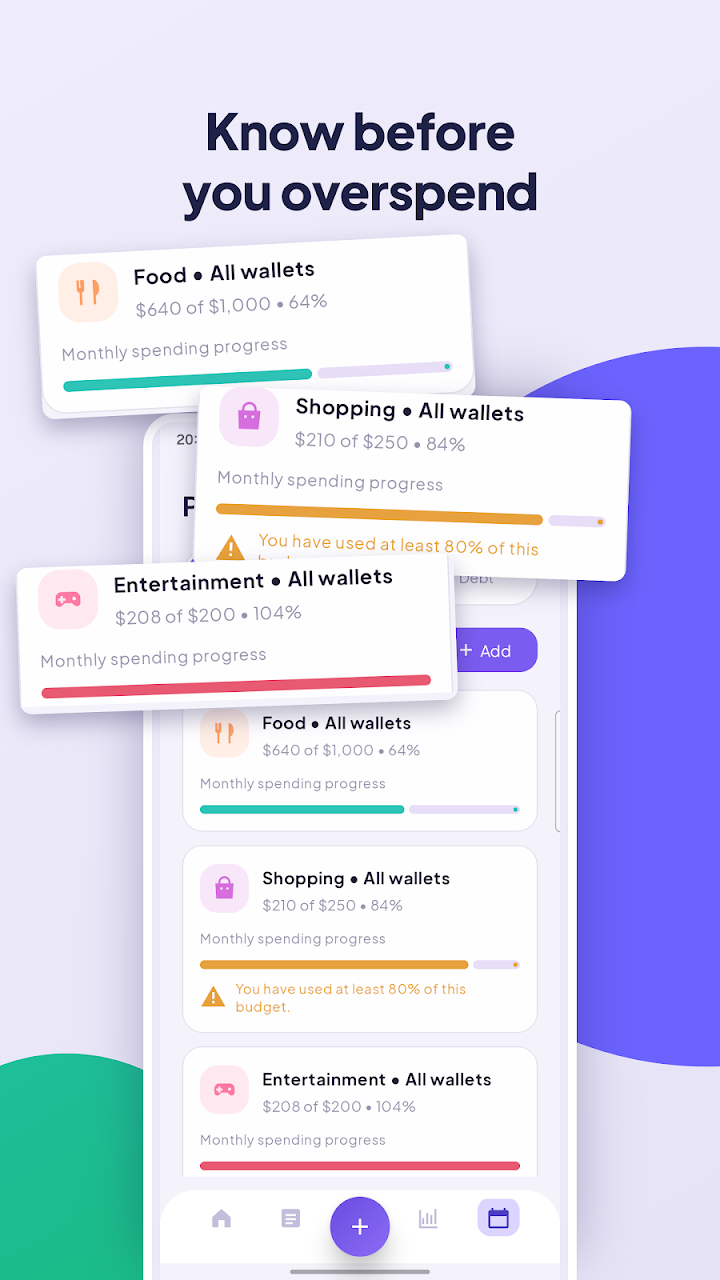
You can create budgets for individual categories, total expenses, or a particular wallet. For example, you may set separate limits for food, shopping, transportation, and entertainment.
The app also provides early warnings when spending reaches certain levels:
- At 80% of the budget
- At 90% of the budget
- When spending goes beyond 100%
Budgets automatically carry over to the next month, making regular financial planning more convenient.
WinzMoney can also highlight categories where your current spending is higher than it was during the same number of days in the previous month.
4. Spending Reports and Charts
Looking at individual transactions does not always provide a complete picture of your financial habits. WinzMoney includes charts and reports that help users understand their spending patterns.
It provides three main reporting views
Category Overview: Shows how your expenses are divided among different categories.
Period Comparison: Allows you to compare two different periods, such as weeks, months, quarters, or years. You can also select a custom date range.
Spending Trends: Displays financial trends over three, six, or twelve months, including net cash flow and savings rate.
Users can filter these reports by wallet, category, and date. These tools make it easier to identify expensive habits and understand how spending changes over time.
5. Bill Tracker and Payment Reminders
Remembering every monthly payment can be challenging, especially when several bills have different due dates.
WinzMoney includes a bill tracking feature for regular payments such as rent, electricity, water, internet, tuition fees, insurance, and subscriptions.
You can select a weekly, monthly, or yearly payment schedule and choose how many days before the due date you want to receive a reminder.
When a bill becomes due, you can confirm the payment. The app then records it as an expense and moves the bill to its next payment cycle.
This feature can help users keep their regular financial responsibilities organized.
6. Debt Tracking for Borrowed and Lent Money
Money borrowed from friends or family can sometimes become difficult to remember. The same problem can happen when someone borrows money from you.
WinzMoney provides a debt tracker with two separate sections: Owed to me and I owe.
This separation makes it easier to understand who needs to return money and which payments you still have to make.
The app also supports partial payments. When someone returns part of a borrowed amount, the payment can be recorded directly in the selected wallet. This helps maintain an updated record of the remaining balance.
Notifications are also available for debts that are due within seven days.
It is important to understand that this feature is only for keeping personal records. WinzMoney does not provide loans or lending services.
7. Savings Goals and Reminders
Saving money becomes easier when you have a specific target. WinzMoney includes a savings goal feature that allows users to set a target amount and a desired completion date.
For example, you might want to save for a new mobile phone, a family holiday, education, or an emergency fund.
You can monitor your progress and use daily or weekly reminders to maintain your financial routine.
These reminders can also encourage you to record expenses regularly, helping you keep your financial information updated.
8. Receipt Photos and Transaction Records
Sometimes, written transaction details are not enough to remember a purchase. Keeping a receipt can be useful when checking previous payments.
WinzMoney allows users to take a receipt photo with their camera or select an existing picture from the phone gallery.
You can attach the image to the relevant transaction and access it later through a dedicated receipt gallery.
This feature is particularly useful for people who want to maintain more detailed expense records.
9. Export Reports and Google Drive Backup
Keeping a backup of financial information is important, especially when changing phones or managing long-term records.
WinzMoney supports exporting financial data in several formats, including:
- CSV
- Excel (.xlsx)
Users can select a date range and export the records they need. This can be helpful for personal reviews, household records, or spreadsheet-based financial planning.
The app also supports Google Drive backup. Users can choose to back up their information, including receipt photos, and restore it on another phone.
Google sign-in is only needed if you choose to use the Drive backup feature.
10. Customization and Language Options
Everyone has different preferences when using a mobile application. WinzMoney includes several customization options to make the interface more comfortable.
Users can select Light Mode, Dark Mode, or follow their phone's system appearance. The app also offers six color palettes.
Multiple language options are available and can be changed instantly. Users can also choose between three different date formats.
These settings make the app more flexible for people with different language and display preferences.
Is WinzMoney Free to Use?
One of the notable things about WinzMoney is its pricing approach. According to the app description, it does not include a Premium version, subscription plan, or in-app purchases.
Its listed features are available without a paid upgrade. These include unlimited wallets, budgeting tools, debt tracking, receipt photos, Excel and PDF exports, and Google Drive backup.
This can be useful for people who want a personal finance tool without worrying about recurring payments.
How to Get Started With WinzMoney
Getting started with WinzMoney is simple. You can begin organizing your finances by following these steps:
1. Install and open WinzMoney on your phone.
2. Create the wallets you want to use, such as cash, bank accounts, or savings.
3. Enter your income and daily expenses.
4. Set monthly budgets for different spending categories.
5. Add regular bills and choose suitable reminder settings.
6. Create savings goals and record money you lend or borrow.
7. Review your dashboard and spending reports to understand your financial activity.
For better results, try to enter transactions regularly. Keeping records updated will make the app's reports and budget information more useful.
My Personal Opinion About WinzMoney
In my opinion, WinzMoney offers a good collection of tools for people who want to manage their everyday finances without depending on complicated online services.
I particularly like the combination of multiple wallet management, budget warnings, bill reminders, and debt tracking. These features cover several common financial needs in one application.
The export options are another useful addition because users can save their records in Excel or PDF format. I also find the offline functionality and lack of a mandatory account appealing for people who prefer managing their financial information directly on their phones.
However, users should remember that the quality of financial reports depends on entering accurate information. The app can organize your records, but it cannot automatically make spending decisions for you.
Overall, WinzMoney appears to be a practical option for anyone looking for an offline expense tracker with a wide range of free budgeting features.
Final Words
WinzMoney is more than a basic expense recording application. It combines daily transaction tracking, monthly budgets, multiple wallets, bill reminders, debt records, savings goals, and financial reports.
Its offline functionality makes it suitable for users who want to manage their money without needing a constant internet connection. The availability of Excel and PDF exports, receipt photos, and optional Google Drive backup adds further convenience.
If you want to keep your income, expenses, bills, and savings organized in one place, WinzMoney may be worth exploring. It provides a straightforward way to understand your spending habits and take better control of your personal budget.