- Developer
- Trisven Networks
- Installs
- 10K+
- Downloads
- 0
- Views
- 1
- Updated
- Nov 4, 2026
Screenshots
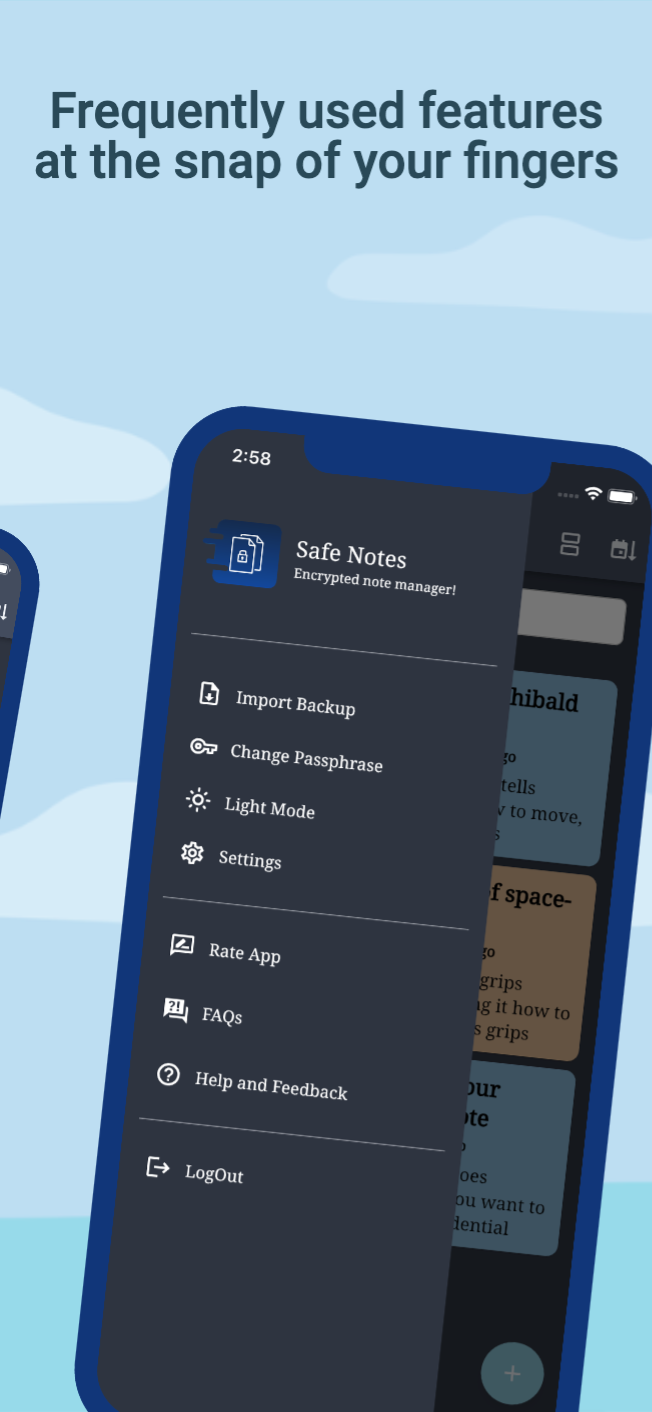
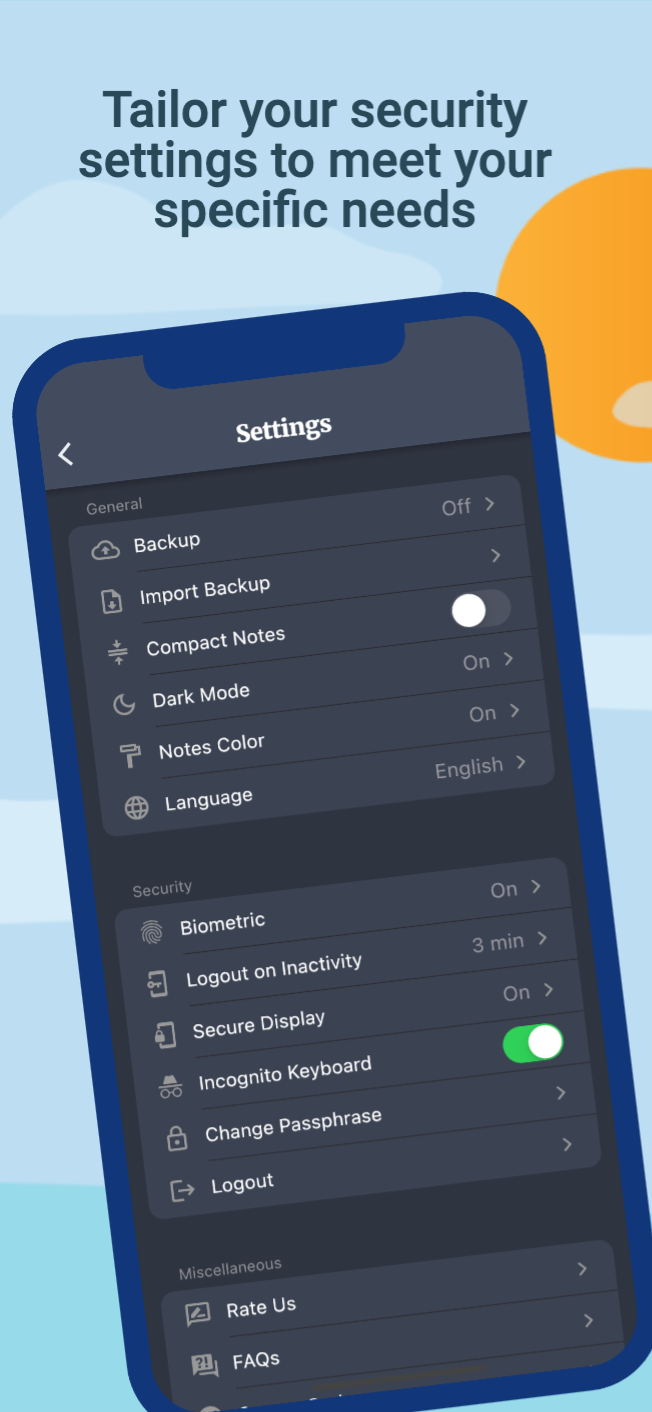
About Safe Notes - Encrypted Notepad
Safe Notes App Review – A Private and Secure Way to Store Your Notes
Many people use their smartphones to save personal information, important reminders, private thoughts, and other details they may not want others to see. While regular note-taking apps are convenient, not everyone feels comfortable storing personal information in services that depend on online accounts or cloud storage.
Safe Notes is an Android application designed for users who prefer a more private way to manage their notes. It uses AES-256 encryption to protect saved information and keeps data stored locally on the device. The app also includes additional security features that help protect private notes from unwanted access.
Unlike many online note-taking services, Safe Notes does not require users to create an account or send their notes to a third-party cloud platform. Its main focus is to give users more control over their personal information.
What Is Safe Notes?
Safe Notes is an open-source and not-for-profit note management application that allows users to create encrypted notes on their Android phones.
The app is designed for people who want to keep their personal information private without depending on online storage services. You can use it to save reminders, personal thoughts, important details, and other information that you want to protect.
Its biggest difference is the way it handles stored information. Instead of keeping regular readable notes, Safe Notes encrypts each note before storing it on the device.
The application also provides encrypted backups, customizable themes, and several security options to improve the overall experience.
Key Features of Safe Notes
1. AES-256 Encryption for Private Notes
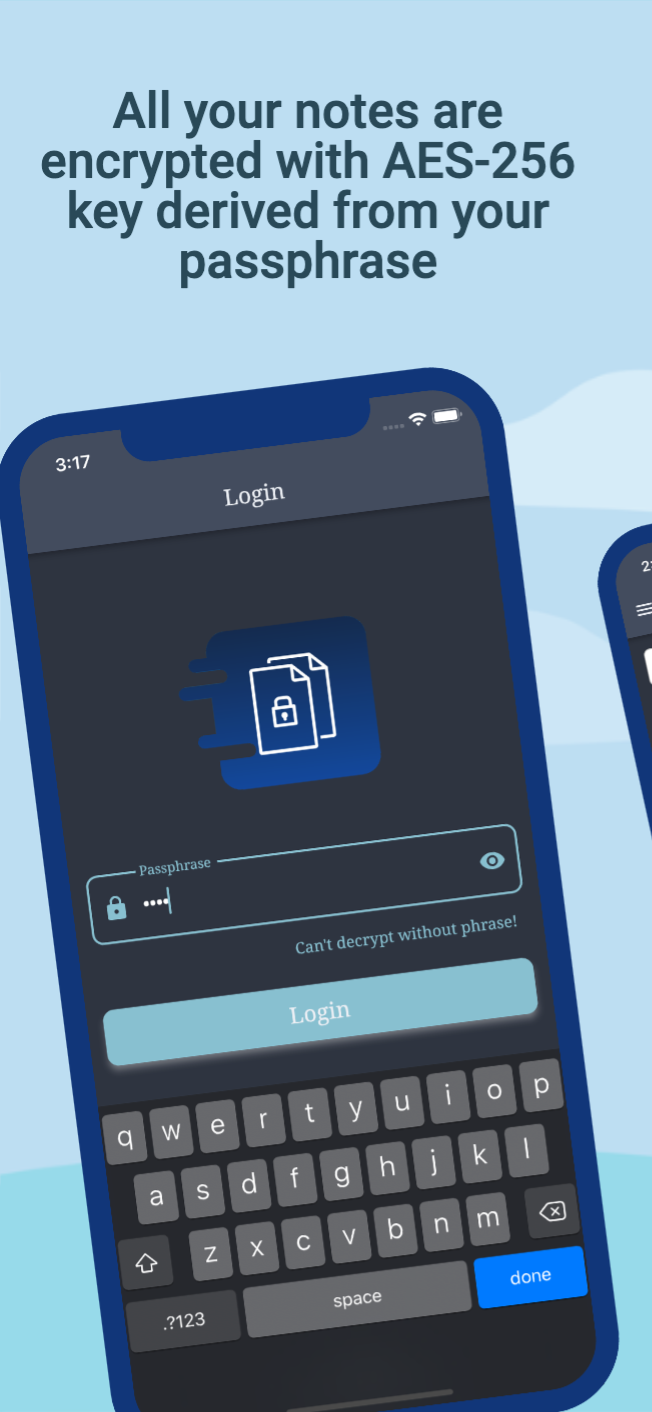
Security is the main focus of Safe Notes. The application uses AES-256 symmetric encryption to protect individual notes.
According to the project description, every note receives a unique encryption key derived from the user's passphrase and a randomly generated salt.
This encryption process makes saved information difficult to read without the correct credentials. Even if someone gains access to the stored encrypted files, they cannot simply open them like ordinary text documents.
For better protection, users should always choose a strong and sufficiently long passphrase rather than using common words or easily guessed information.
2. Complete Offline Functionality
One of the most interesting aspects of Safe Notes is its offline-first design.
Users do not need an internet connection to create or access their notes. The application stores information directly on the phone and does not depend on a third-party cloud service.
The project also states that the app makes no incoming or outgoing network requests. This approach may be particularly appealing to people who prefer keeping their personal information away from online platforms.
However, users should remember that local storage also means they are responsible for keeping their own backups safe.
3. Incognito Keyboard
When writing private information, keyboard privacy can also be an important consideration.
Safe Notes includes an Incognito Keyboard feature designed to provide a more privacy-conscious typing experience.
This can be useful when entering sensitive information that users do not want associated with normal keyboard suggestions or personalization features.
4. Brute-Force Protection
A brute-force attack involves repeatedly trying different passwords or passphrases to gain access to protected information.
Safe Notes includes protection against these types of attempts. Combined with its encryption system, this feature adds another layer of difficulty for anyone trying to access private notes without permission.
Still, no security feature can replace a strong passphrase. Users should avoid short passwords, common names, and easily predictable combinations.
5. Protection Against ADB Data Access
Android Debug Bridge, commonly known as ADB, is a development tool used to communicate with Android devices through a computer.
Safe Notes includes protection intended to prevent unauthorized access to application data through ADB-related methods.
This feature is useful for people who want additional protection for information stored on their smartphones.
6. Background Snapshot Protection
When switching between applications on Android, the system may display a preview of the previous app in the recent apps screen.
If someone opens this screen, private information could potentially become visible in an application preview.
Safe Notes includes background snapshot protection to help prevent note content from appearing in these previews.
It is a small but useful privacy feature for people who frequently switch between apps while working with sensitive information.
7. Inactivity Guard
Sometimes users open an application and forget to close it before leaving their phone unattended.
Safe Notes includes an inactivity guard designed to improve protection when the application has not been used for a certain period.
This helps reduce the chance of someone accessing private notes simply because the app was left open.
8. Encrypted Backup and Restore
Keeping a backup of important information is always a good idea. Phones can be damaged, lost, or replaced, and without a backup, valuable notes may disappear.
Safe Notes provides an automated encrypted backup feature that helps users maintain a copy of their saved information.
The backup can also be used to transfer notes from an old smartphone to a new one. This makes changing devices more convenient without having to recreate every note manually.
Users should store their backup files carefully and remember their passphrase because encrypted information cannot be recovered without the correct credentials.
9. Dark and Light Themes
A good application should not only provide useful features but also offer a comfortable interface.
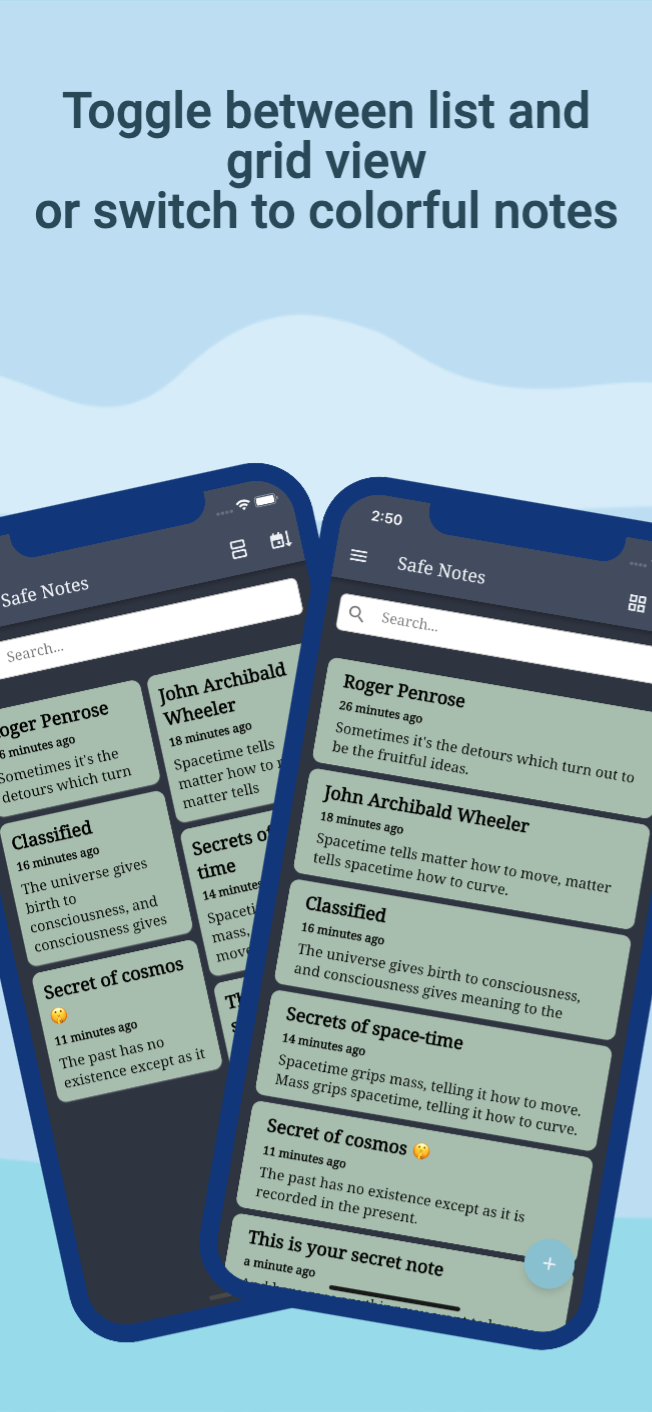
Safe Notes includes an Arctic Nord-inspired design with both dark and light themes. Users can select the appearance they prefer depending on their environment and personal taste.
The application also supports colorful notes, allowing users to give different notes their own visual appearance.
This can make it easier to organize personal information and distinguish between different types of notes.
How Does Safe Notes Work?
Safe Notes follows a straightforward process for protecting personal information.
When users create a note, the application encrypts its content before saving it on the device. The encryption process uses a passphrase-based key and a randomly generated salt.
Here is how you can get started
1. Install and open Safe Notes on your Android phone.
2. Set a strong passphrase to protect your information.
3. Create a new note and enter the details you want to save.
4. Save the note so the application can encrypt it.
5. Open your saved notes whenever needed by providing the correct credentials.
6. Create encrypted backups regularly to protect your information.
One important detail is that Safe Notes does not store your passphrase on the device. According to the project, it is cleared when you exit the application.
This improves privacy, but it also means that forgetting your passphrase can result in permanent loss of access to your encrypted notes.
Why Choose an Open-Source Notes App?
Open-source software allows people to examine its source code rather than relying entirely on the developer's description.
Safe Notes follows this approach and is presented as a not-for-profit project. Its development philosophy focuses on local data storage and giving users control over their information.
For privacy-conscious users, this can be an important advantage. However, open-source availability alone does not automatically guarantee perfect security. The quality of the implementation, code reviews, updates, and device security also matter.
Important Things to Remember Before Using Safe Notes
Although Safe Notes includes several security features, users should understand a few important points before storing valuable information.
- Keep your passphrase safe: The developer cannot recover your encrypted notes if you lose the passphrase.
- Use a strong password: A longer and less predictable passphrase provides better protection.
- Create regular backups: Keep encrypted backup files in a secure location.
- Protect your phone: App encryption cannot prevent every possible attack on a compromised or unlocked device.
- Keep the application updated: Updates can help address issues and improve compatibility.
Following these basic precautions can make your experience safer and more reliable.
Who Should Use Safe Notes?
Safe Notes may be suitable for different types of users who want to keep their personal information private.
Privacy-Conscious Users: People who prefer local storage instead of relying on online accounts may appreciate its offline approach.
Students: Students can save personal reminders, study notes, and other information they want to keep private.
Working Professionals: Employees and independent workers can organize private notes and useful personal information.
Everyday Smartphone Users: Anyone who wants a simple place to store personal thoughts, reminders, or sensitive details can explore its features.
Open-Source Supporters: Users who prefer open-source projects may also find its development approach interesting.
My Personal Opinion About Safe Notes
In my opinion, Safe Notes stands out because it focuses on privacy instead of adding unnecessary online features. Its local storage approach and AES-256 encryption make it an interesting option for people who want to keep their notes under their own control.
I particularly like the idea of combining encrypted notes with background snapshot protection, an inactivity guard, and encrypted backups. These features address different privacy concerns rather than relying on only one security method.
The open-source and not-for-profit approach is another positive aspect. However, I think users should pay special attention to the passphrase requirement. Since the developer cannot recover forgotten credentials, losing the passphrase can mean losing access to all protected notes.
Overall, Safe Notes looks like a useful choice for people who value privacy and prefer a simple, offline note management experience.
Frequently Asked Questions (FAQs)
1. Is Safe Notes free to use?
Safe Notes is described as an open-source, not-for-profit project. Users can check its official project information for the latest details about availability and supported versions.
2. Does Safe Notes work without the internet?
Yes. According to its description, the application works offline and stores notes locally on the device.
3. What encryption does Safe Notes use?
Safe Notes uses AES-256 symmetric encryption to protect saved notes. Each note uses a unique key derived from the user's passphrase and a randomly generated salt.
4. Can I recover my notes if I forget my passphrase?
No. The project states that the developer cannot decrypt your notes or recover a lost passphrase. It is important to remember your credentials.
5. Can I move my notes to another phone?
Yes. Safe Notes provides encrypted backup functionality that can be used to transfer information from one device to another.
6. Is Safe Notes open-source?
Yes. Safe Notes is described as an open-source project that follows a local data storage and privacy-focused approach.
Final Words
Safe Notes is a private note management application built around encryption, offline functionality, and user control. It allows people to save personal information without depending on online accounts or third-party cloud storage.
With features such as AES-256 encryption, brute-force protection, background snapshot protection, encrypted backups, and customizable themes, it offers more than a basic note-taking experience.
If you are looking for an Android notes app that puts privacy and local data storage first, Safe Notes may be worth exploring. Just make sure to use a strong passphrase and keep a secure backup of your important information.